
Essential
To place the right species, fast.
14.90€ / month excl. VAT
- Every species (576)
- 1 size per plant, in flower
- Updates included
- 1 seat
Cultivar is a SketchUp extension: a library of 576 nursery species and varieties, each modelled from its real habit. You place the plants, copy their names, and your AI renderer knows exactly what to draw.
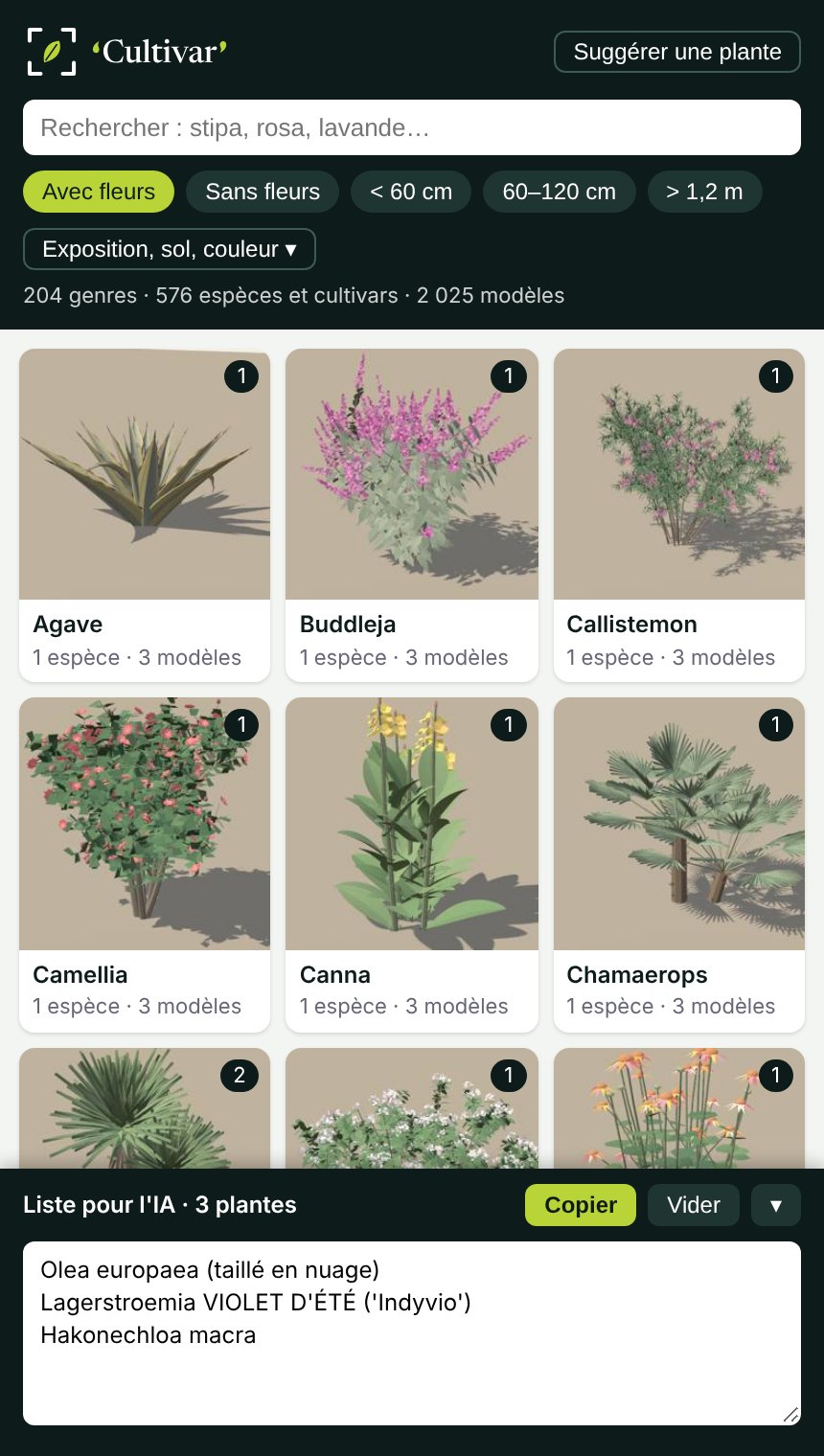
An AI renderer guesses poorly from a vaguely drawn plant. Give it the right silhouette and the exact cultivar name, and it knows what to draw and where.
Pick from the panel, filter by genus, place. Every plant arrives at its real mature size, with its name in Entity Info.
The + button adds the variety to the list for the AI. One click on Copy and the list is on your clipboard.
Export the view, paste the list into your AI renderer (ChatGPT Image, Gemini, Gendo…). Silhouettes guide the layout, names guide the species.
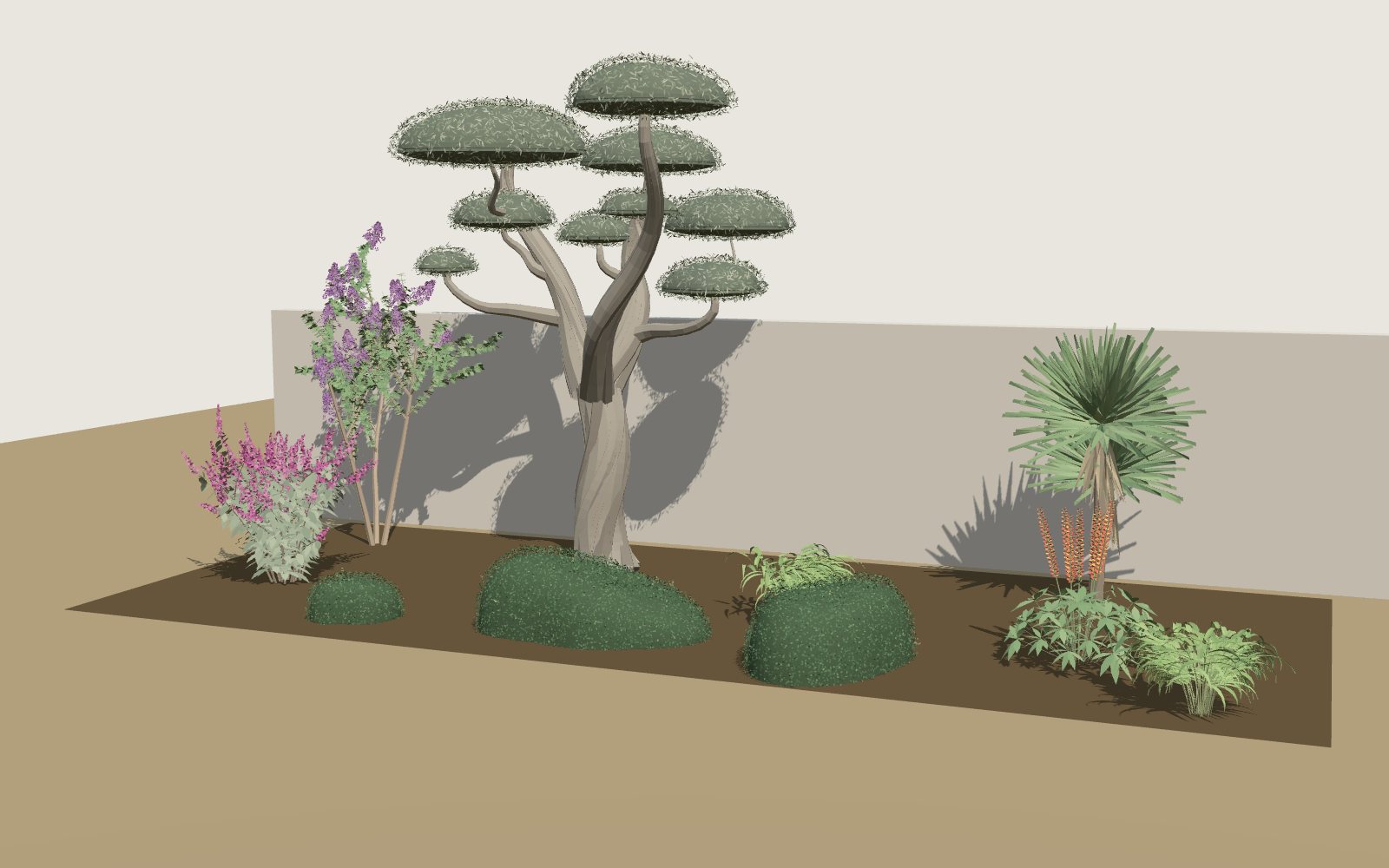 SketchUp view with Cultivar models
Olea europaea (taillé en nuage), Lagerstroemia VIOLET D'ÉTÉ ('Indyvio'), Cordyline australis (double tronc), Ilex crenata 'Convexa' (coussin allongé), Ilex crenata 'Convexa' (coussin), Lupinus WEST COUNTRY 'Towering Inferno', Buddleja davidii BUZZ Magenta, Hakonechloa macraTypical prompt: “Photorealistic render of this garden, keeping each plant's position and silhouette:” followed by the list.
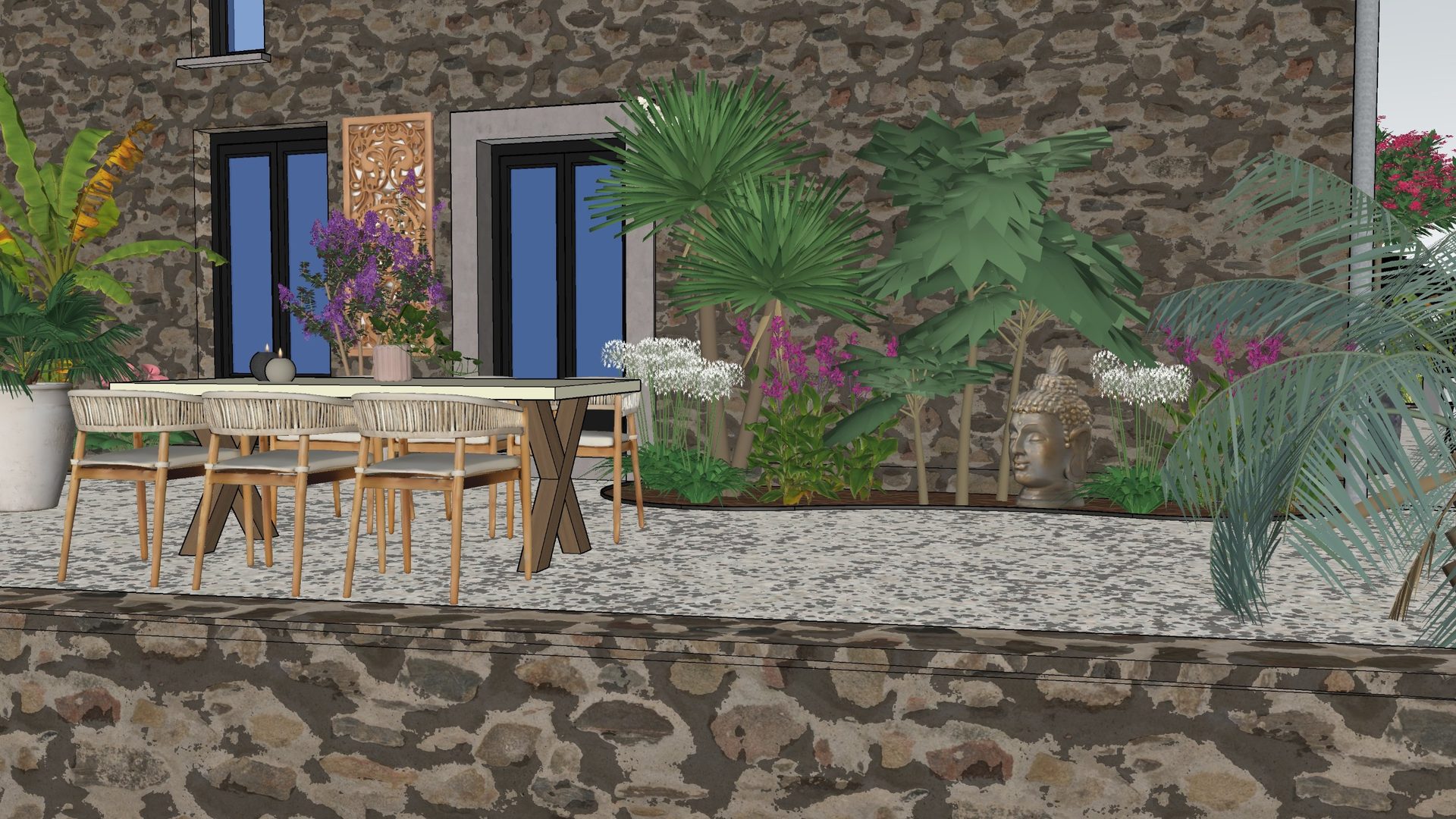
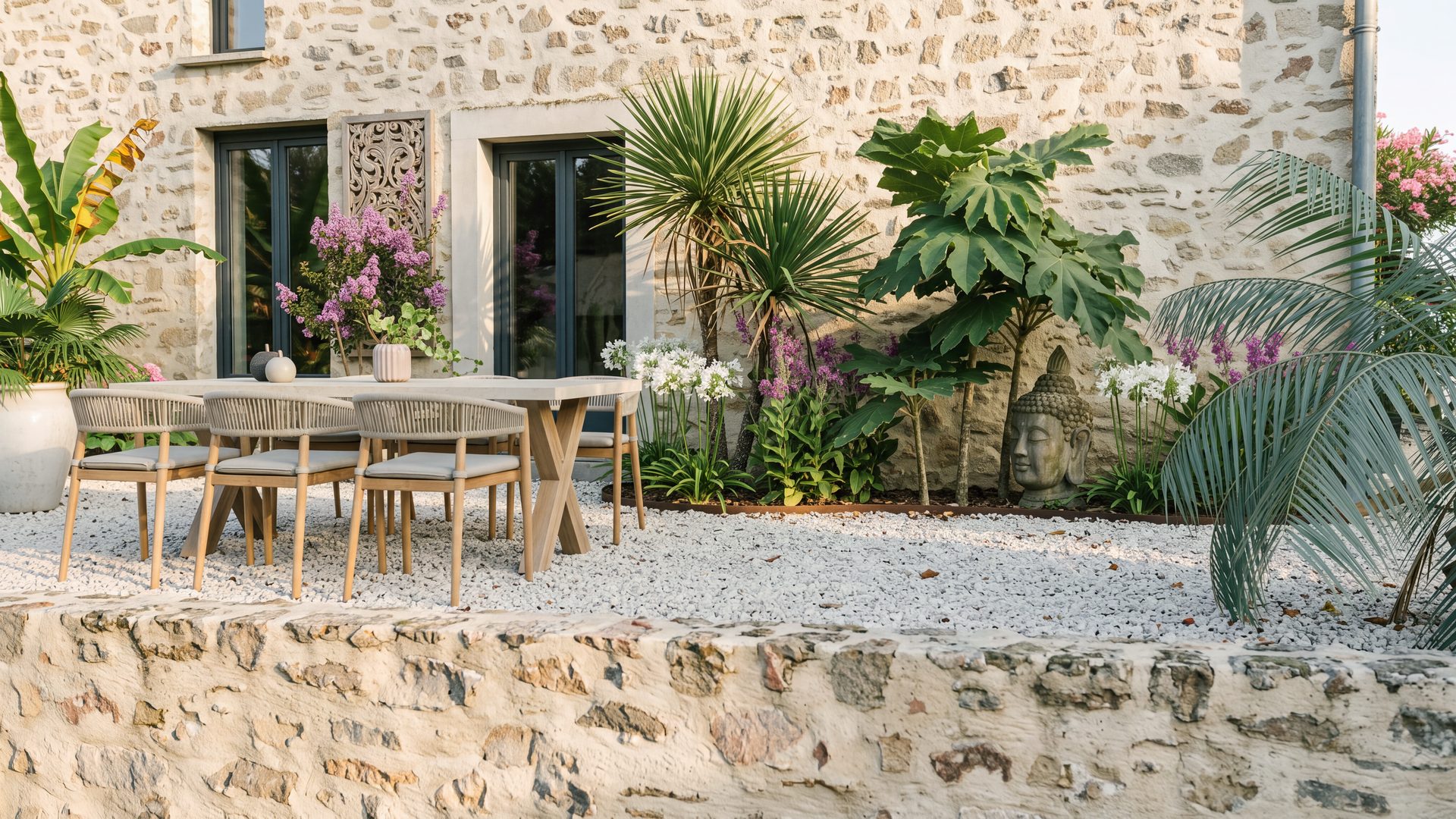
Drag the handle. On the left, the SketchUp view with Cultivar models; on the right, the image the AI produced from that view and the plant list.
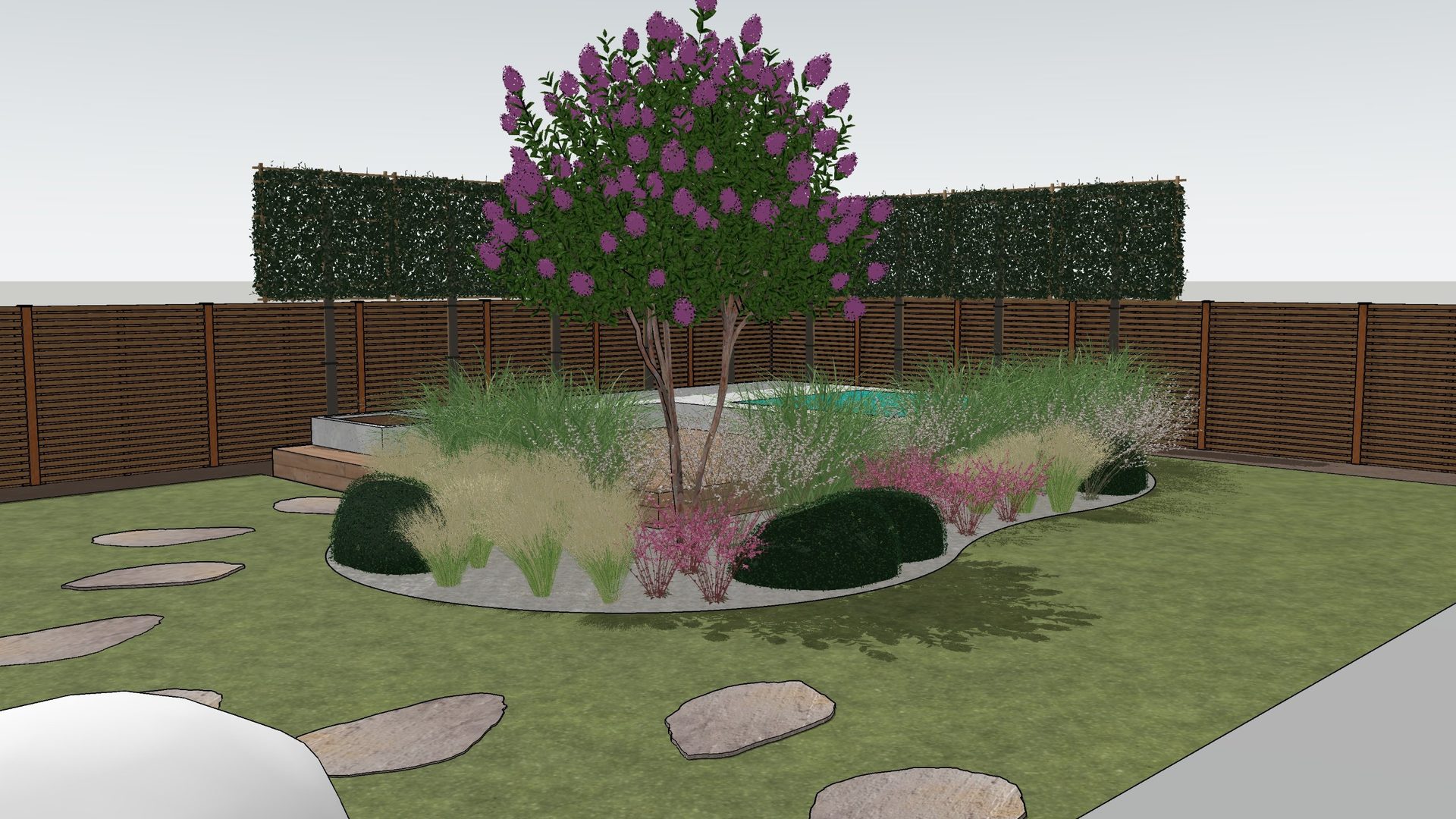
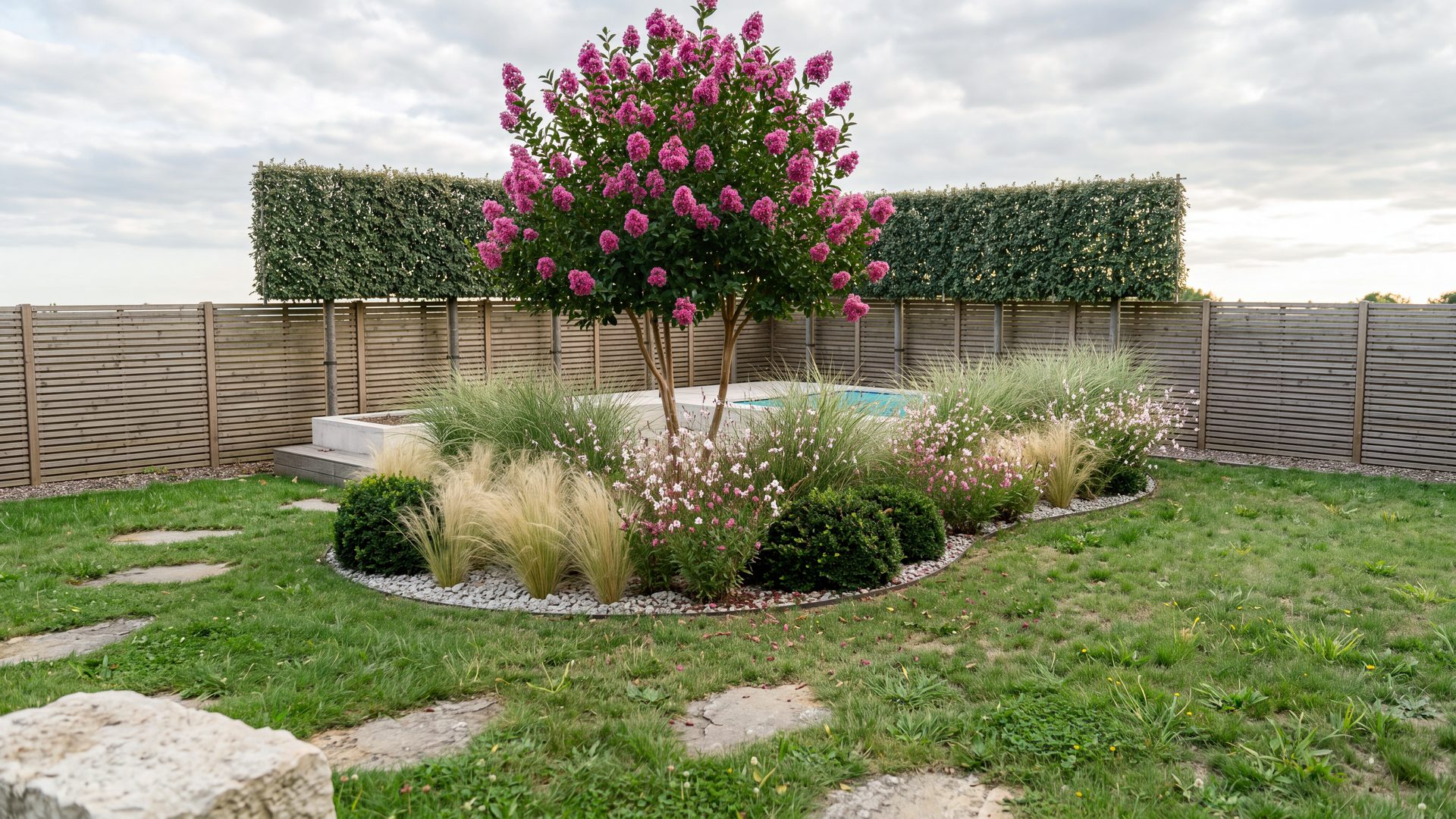
No generic shrub with a new colour: each cultivar has its own habit, mature size and flower colour, checked against nursery data. Three subjects per species, so your borders never look copy-pasted.
Young, mature, old specimen: three different shapes, not three sizes of one model.
A flowerless version of every flowering plant, autumn variants for changing foliage, wind for grasses.
Plants arrive at their real mature size. Name and height stay readable in Entity Info.
Compressed files, loaded on demand and cached: a full border stays smooth in SketchUp.
Cloud-pruned, espaliered, standards, clipped cushions: plants the way nurseries sell them, not only free-growing.
Suggest your varieties from inside the extension. Agency suggestions go first, and selected plants join the library, for everyone.
New species and improved models, downloaded by the extension, nothing to reinstall.
Sort plants by exposure, soil type and flower colour.
Prices exclude VAT: your country's VAT is added at checkout. No commitment, cancel anytime.
To place the right species, fast.
For varied, realistic planting.
For studios and design offices.
7-day free trial with every size and variant, as on Pro. A specific plant modelled from your photos, with a guaranteed turnaround: on quote, outside the subscription.
Cultivar is built by VerTige design, a landscape design studio. The library serves the studio's own projects first: every plant is chosen, checked and corrected by a landscape designer before it reaches you.
Aurélien Berranger, landscape visualisation artist, founder of VerTige design
Essential gives you every species in one size, the medium one, in flower. Pro adds all three sizes of each plant plus flowerless, windswept and seasonal versions: a bed of ten plants no longer shows the same specimen ten times, and your AI renders look more natural.
SketchUp 2021.1 and later, on Windows and Mac.
Yes. The images you produce are yours and can be used commercially. Only reselling or sharing the 3D models themselves is prohibited.
Yes, they are standard SketchUp components. They are designed first for AI rendering, though: accurate silhouettes and light files rather than heavy photo textures.
With the Suggest a plant button in the extension. Every suggestion is read; Agency suggestions (6 a month) go first. Selected plants join the library in a following update. Need a specific plant modelled from your photos, with a guaranteed turnaround? Available on quote, outside the subscription.
Plants already placed in your SketchUp files stay there. The library and new releases are no longer available.
Essential: 1 seat. Pro: 2 seats, for example a desktop and a laptop. Agency: 5 seats.
7-day free trial, no commitment.